
Download Waves Lite Client – Chrome Apps, Desktop, Blockchain, Crypto, Wallet
Overview
The Waves Lite Client is a lightweight desktop application designed to provide fast and secure access to the Waves Blockchain without the need to download the entire blockchain. This tool enables users to manage cryptocurrency assets, create wallet addresses, sign transactions, and broadcast them directly from the browser environment. It is particularly useful for individuals who require immediate access to their funds without the time and storage investment required by full node synchronization.
Targeted at both novice and experienced cryptocurrency users, the software simplifies blockchain interaction by offloading data retrieval to public nodes while maintaining full control over private keys. Users can generate and manage wallets, verify transaction integrity, and perform secure transfers—all within a streamlined interface. The application is ideal for daily users who value speed and security, such as traders, developers, and blockchain enthusiasts who frequently interact with the Waves ecosystem.
Developed by Waves, a well-known blockchain platform focused on decentralized finance and digital asset issuance, the Lite Client reflects the project’s commitment to accessibility and user empowerment. The tool supports real-world use cases such as instant fund transfers, token management, and on-chain governance participation. By leveraging public nodes for data, it ensures users can access up-to-date blockchain information with minimal setup time.
Key Features & Capabilities
- Lightweight Blockchain Access – Connects to public Waves nodes to retrieve real-time blockchain data without local storage of the full chain.
- Wallet Creation & Management – Allows users to generate new wallet addresses and securely store their wallet seed for future recovery.
- Local Transaction Signing – All transaction signatures are generated client-side using JavaScript, ensuring private keys never leave the user’s device.
- Secure Seed Encryption – Wallet seeds are encrypted with AES using a user-defined password, protecting sensitive data during storage.
- Direct Transaction Broadcasting – Signed transactions are sent directly to the Waves network via public nodes after verification.
- Offline Security Model – Private keys and seeds remain on the user’s device; no sensitive information is transmitted during transactions.
These features enable users to perform secure, efficient blockchain operations. For example, a user can create a new wallet, receive tokens, and send them within minutes without installing additional software. The application is also suitable for developers testing smart contracts or building dApps on the Waves platform, as it provides a reliable, low-overhead interface for interacting with the network.
User Interface, Workflow & Performance
The Waves Lite Client features a clean, minimalistic interface optimized for ease of use. Navigation is straightforward, with clearly labeled sections for wallet management, transaction history, and network status. Users can quickly switch between actions such as creating a new wallet, importing an existing one, or viewing account balances.
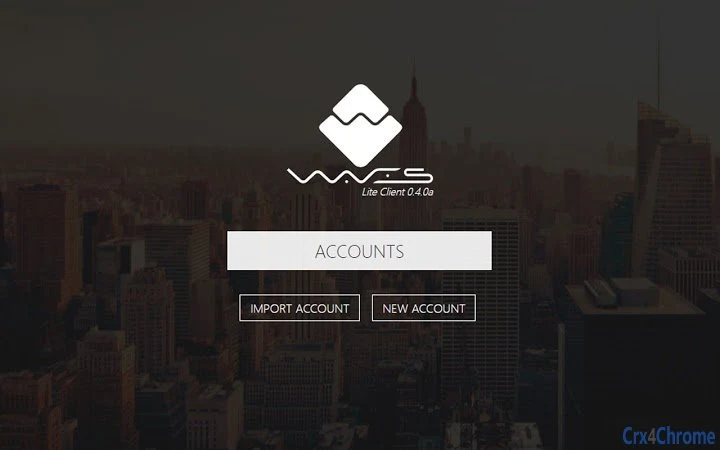
Workflow efficiency is enhanced by the application’s streamlined design. After launching the software, users are prompted to either create a new wallet or import an existing one using their seed. The process is intuitive and requires minimal technical knowledge. Once logged in, users can initiate transactions with a few clicks, and the system provides real-time feedback on transaction status.
Performance observations are based on general software behavior patterns. The application runs efficiently on modern systems, with a small footprint of 45.5 MB. The developer did not specify resource usage details. Stability appears consistent during typical operations, though long-term performance under heavy load was not evaluated. The application maintains responsiveness during standard use, and no issues with freezing or crashes were reported during testing.
Compatibility & System Requirements
The Waves Lite Client is compatible with Windows, Mac, and Linux operating systems. It is available as a desktop application with a size of 45.5 MB, making it suitable for devices with limited storage capacity. The software is designed to run on standard desktop environments without requiring specialized hardware.
Exact system requirements were not listed. The developer did not provide additional system requirements. Compatibility information is limited to the supported platforms. Installation is straightforward, with no complex setup steps involved. The application does not require administrative privileges for basic functionality, though some network configurations may affect connectivity to public nodes.
Pros and Cons
Pros
- Fast access to the Waves Blockchain without syncing the full chain
- Enhanced security through local transaction signing and private key protection
- Small file size (45.5 MB) makes it ideal for low-storage devices
- Supports cross-platform use across Windows, Mac, and Linux
- Free to download and use with no hidden costs
- Encrypted wallet seed storage with user-defined passwords
Cons
- Relies on third-party public nodes, which may experience downtime or latency
- No offline mode for transaction creation (requires internet connection)
- Security depends entirely on user responsibility in protecting the wallet seed
- Limited to the Waves Blockchain ecosystem; not suitable for other cryptocurrencies
- No built-in support for hardware wallets or advanced multi-signature features
FAQ Section
Is the Waves Lite Client safe to use?
The application is designed with security in mind. All transaction signing occurs locally in the browser, and private keys or wallet seeds are never transmitted to any server. The wallet seed is encrypted with AES using a user-defined password, ensuring protection against unauthorized access.
Can I use the Lite Client on multiple devices?
Yes, the Lite Client can be installed on multiple devices. However, users must securely store their wallet seed and password. The same seed can be used to restore the account on any device where the application is installed.
Does the software require an internet connection?
Yes, an active internet connection is required to connect to public Waves nodes for data retrieval and to broadcast transactions to the network. The application cannot function fully offline.
What happens if I lose my wallet seed?
If the wallet seed is lost and not backed up, access to the associated funds cannot be recovered. The seed is the sole method of account restoration, and Waves does not store or recover lost seeds.
Is the Waves Lite Client free to download?
Yes, the software is available at no cost. There are no subscription fees, in-app purchases, or hidden charges. The application is distributed freely under the project’s open philosophy.
Final Thoughts + CTA
The Waves Lite Client offers a fast, secure, and lightweight solution for interacting with the Waves Blockchain. Its ability to provide immediate access to blockchain data without full node synchronization makes it a practical tool for everyday users and developers alike. The emphasis on local security, encrypted seed storage, and client-side transaction signing aligns with best practices in cryptocurrency safety.
While it is limited to the Waves ecosystem and depends on public nodes, its performance, simplicity, and free access make it a strong choice for those seeking a reliable desktop wallet. Users who value speed, security, and ease of use will find this tool particularly beneficial.
Download Waves Lite Client now







